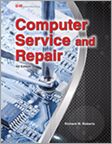
 Computer
Service and Repair
Computer
Service and Repair
Linux Commands
New For A+
Linux commands are now required knowledge for the CompTIA A+.
New Lab Activity Intro to Linux Commands
As stated above a lab activity for introductory level students.
Introduction to Windows 10
A short artical and review test on Windows 10.
Windows 10 USB DVD or ISO Creation.
A lab activity for creeating Windows 10 installation media.
Compare Windows 10 Editions
A Student handout comparing Windows 10 Editions.
Unattended Windows Installation - Methods & Tools
See the Practice Test and Study Guide Pages for NEW-Domain 5 CompTIA A+ 220-801 Practice Test and Study Guide! This gives you a FULL SET of Practice Tests and Study Guides for the 220-801 CompTIA test.
New Lab Activity for your students with a multi-boot system.
Triple Boot Lab Activity Windows 7, XP, Vista
Also, a new lab for Windows 8, after reviewing the Introduction and Quiz below.
Lab Activity for Windows 8
Below, we have included some very useful information regarding the NEW
Window 8 - Consumer Beta system, with links to the files.
New Article for MBR and EFI Partition Styles
New Hard Drive Pop Quiz for above Article
January 2012 Newsletter with new Windows 7 Introduction, test, and new Networking Domain materials and other helpful links NOW available check the newsletters on the left.
Introduction to Windows 7 and Practice Test.
Lab Activities Also Available for Computer Service and Repair, by Richard Roberts, 4th Edition! Also, be sure to look on the Practice Test and Study Guide Pages for new issues. These labs will take a moment to load on your computer the first time.
Performing a Windows 7 Clean Install
Performing a Windows 7 Upgrade to Windows XP
Performing a Windows 7 Upgrade from Windows Vista
Performing a Windows 7 - XP Mode Lab Activity
Free Linux Course
Thinking about teaching some Linux in your course. Check out this the complete online course http://www.linux.org/lessons/beginner/toc.html
on Linux. Its a perfect solution for individualized instruction or as an advanced topic for those over achiever students. While your at the Linux organization website, download a free version of Linux such as Ubuntu, SUSE or RedHat.

Parts Identification
Make your own parts identification classroom hand out or test in just a few minutes. Simply go to TigerDirect website look at the motherboard specifications. Right-click on an image and save it to you pictures folder. Next, open your word processor application and paste in the picture of the motherboard complete with labeled parts. To make a test open the same picture in Microsoft paint program or any paint/draw program. Use the paint program to create numbered labels for you self made test. Insert the modified image for your test into a Word document. Now make a list of corresponding numbers as fill in the blank or matching. That's all there is to it.
Linux commands are now required knowledge for the CompTIA A+.
New Lab Activity Intro to Linux Commands
As stated above a lab activity for introductory level students.
Introduction to Windows 10
A short artical and review test on Windows 10.
Windows 10 USB DVD or ISO Creation.
A lab activity for creeating Windows 10 installation media.
Compare Windows 10 Editions
A Student handout comparing Windows 10 Editions.
Unattended Windows Installation - Methods & Tools
See the Practice Test and Study Guide Pages for NEW-Domain 5 CompTIA A+ 220-801 Practice Test and Study Guide! This gives you a FULL SET of Practice Tests and Study Guides for the 220-801 CompTIA test.
New Lab Activity for your students with a multi-boot system.
Triple Boot Lab Activity Windows 7, XP, Vista
Also, a new lab for Windows 8, after reviewing the Introduction and Quiz below.
Lab Activity for Windows 8
Below, we have included some very useful information regarding the NEW
Window 8 - Consumer Beta system, with links to the files.
Introduction to Windows 8 Consumer Beta
The second important topic we have covered here in an introductory level is the
newly developed and marketed services of
Cloud Computing.
While the actual process is not completely new, the vendor marketing has
made Cloud computing the latest craze, as well as a signal of things to come,
with link to the article.
Introduction to Cloud Services
New Article for MBR and EFI Partition Styles
New Hard Drive Pop Quiz for above Article
January 2012 Newsletter with new Windows 7 Introduction, test, and new Networking Domain materials and other helpful links NOW available check the newsletters on the left.
Introduction to Windows 7 and Practice Test.
Lab Activities Also Available for Computer Service and Repair, by Richard Roberts, 4th Edition! Also, be sure to look on the Practice Test and Study Guide Pages for new issues. These labs will take a moment to load on your computer the first time.
Performing a Windows 7 Clean Install
Performing a Windows 7 Upgrade to Windows XP
Performing a Windows 7 Upgrade from Windows Vista
Performing a Windows 7 - XP Mode Lab Activity
Free Linux Course
Thinking about teaching some Linux in your course. Check out this the complete online course http://www.linux.org/lessons/beginner/toc.html
on Linux. Its a perfect solution for individualized instruction or as an advanced topic for those over achiever students. While your at the Linux organization website, download a free version of Linux such as Ubuntu, SUSE or RedHat.
Parts Identification
Make your own parts identification classroom hand out or test in just a few minutes. Simply go to TigerDirect website look at the motherboard specifications. Right-click on an image and save it to you pictures folder. Next, open your word processor application and paste in the picture of the motherboard complete with labeled parts. To make a test open the same picture in Microsoft paint program or any paint/draw program. Use the paint program to create numbered labels for you self made test. Insert the modified image for your test into a Word document. Now make a list of corresponding numbers as fill in the blank or matching. That's all there is to it.
What's New
See our Brand NEW 4th Edition of Computer Service and Repair (copyright 2015) at g-w.com All books and educational support materials are available for order for your new 2014-2015 year. The book includes all of the old favorite support materials and up to date systems and methods. You'll be glad you invested in the CompTIA A+ certification materials.
Course Outline for Computer Service and Repair, 4th Edition
can be downloaded here.
PDF Course Outline
Archived Newsletters- We hope they will be useful to you.
See our Brand NEW 4th Edition of Computer Service and Repair (copyright 2015) at g-w.com All books and educational support materials are available for order for your new 2014-2015 year. The book includes all of the old favorite support materials and up to date systems and methods. You'll be glad you invested in the CompTIA A+ certification materials.
Course Outline for Computer Service and Repair, 4th Edition
can be downloaded here.
PDF Course Outline
Archived Newsletters- We hope they will be useful to you.